 PlateyGet the app
Workout App No Account: What You Gain, What You Lose
Why lifters want a workout app with no account, what you give up without cloud sync, and a two-minute test: open it, log a set offline, export.
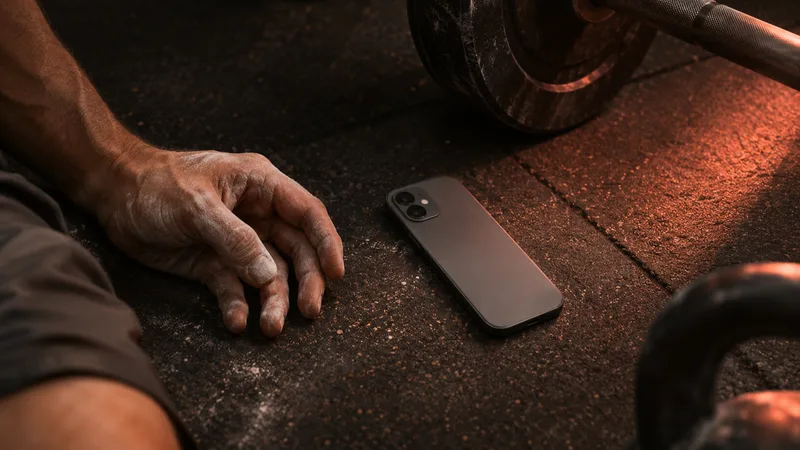
A workout app with no account lets you open it and log a set straight away, and the log stays on your phone. No email, password or verification code sits between you and the first entry. The trade-off is that no copy lives on a server, so a second device and a replacement phone are things you handle yourself.
Why lifters want to skip the sign-up
At the rack you want to type a weight and a rep count, then put the phone down. A sign-in screen, a password field that will not autofill, or a verification email you have to go and fetch turns that into a detour.
An account ties your training history to an email address and keeps a copy on someone else's servers. Some lifters would rather that copy did not exist. Local-only is not automatically private, so still check the app's privacy listing and the permissions it asks for.
A lot of gyms are in basements with weak signal or none. An app that writes to the phone keeps working there. An app that wants a round trip to a server before it saves a set may not, and you usually find out in the middle of a session.
What you give up without an account
Mostly sync and backup. A server copy is what lets a tablet show the same history as your phone, and what pulls your sessions back after a lost or wiped handset. Apps with accounts usually sync across devices automatically, but an account on its own is not a promise of a restore. Ask what happens when you delete the app, and whether a reinstall brings back everything or only recent weeks.
| Log on the phone, no account | Account plus a cloud copy | |
|---|---|---|
| First logged set | Open the app and type | Sign up or sign in first |
| Basement gym, no signal | Works if it writes locally | Depends on the app, so test it |
| Second device | Only by moving a file yourself | Usually automatic |
| New phone after a loss | Your own backup or exported file | Sign in and pull the copy |
| Who holds the history | You | You and the provider |
Without a server copy there is often no web view and nothing to point a coach at. You send a file instead.
A two-minute test you can run on any app
Three checks, roughly 40 seconds each: 3 × 40 = 120 seconds. Run them before you commit a training block.
- Force-quit the app, open it, and log one working set, say bench press 135 lb for 5 reps (60 kg for 5 if you train in kilos). Pass if you get from a cold open to a logged set without creating anything.
- Turn on airplane mode, which switches off the phone's wireless transmitters. Log a second set, close the app fully, reopen it, and check both sets survived. Turn airplane mode off afterwards. Pass if the save worked and nothing vanished.
- Find export or share and produce a file. CSV is plain text in rows and columns, so a spreadsheet will open it. Pass if you can read the date, exercise, weight and reps, and tell which unit the weights are in.
Keep the fields plain: date, exercise, weight, reps. More detail in what to log. If step 3 fails, the history is readable only inside that app, and you want to know that now rather than after two years of sessions. If you are already committed elsewhere, see switching log apps.
How big a lifting log is
Local storage sounds fragile until you size it. Take 3 sessions a week, 5 exercises per session and 3 sets per exercise: 3 × 5 × 3 = 45 sets a week, and 45 × 52 = 2,340 sets a year.
One set written as a text row looks like 2026-11-28,Bench press,135,5. That is 28 characters plus a line break, so call it 30 bytes. A year comes to 2,340 × 30 = 70,200 bytes, about 70 KB. Ten years is 23,400 × 30 = 702,000 bytes, still under 1 MB.
The whole history fits in a file you control, and whether you get that file depends on the app handing it over. Lifters who keep local logs often export once a month to a laptop or their own cloud drive.
Where Platey sits
Platey needs no account and keeps the log on the phone. It suggests your next weight and reps from your last session, includes a plate calculator, and shows no ads. The trade-off above still holds: with no server copy, keep your phone's own backup current.
Summary
- No account gives you a fast first entry and a log that lives on your handset.
- You take on sync and backup, so decide how a new phone gets your history.
- Test in two minutes: cold open to a set, log a set in airplane mode, export a readable file.
- A year of training is tens of kilobytes, so your own copy is easy to keep if the app allows export.
Sources
- Wikipedia: Airplane mode (switches off the phone's wireless transmitters, used here as the offline test)
- Wikipedia: Comma-separated values (CSV is a plain-text row-and-column format that spreadsheets open)
- Wikipedia: Cloud storage (data held on remote servers reached over a network, the copy an account gives you)